
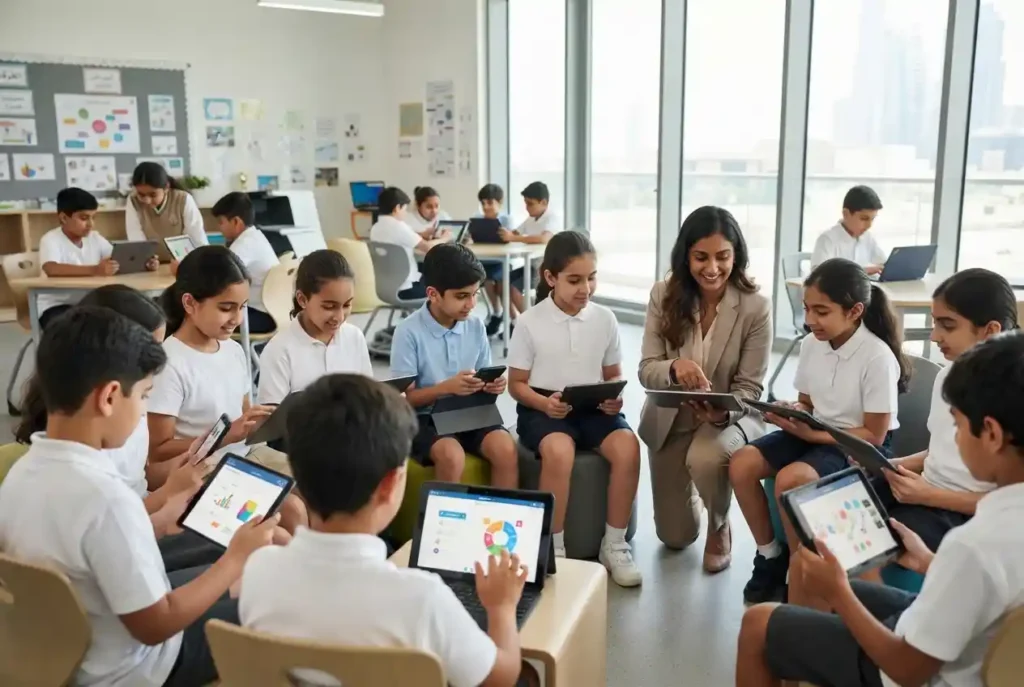
Educational app developers play an increasingly important role in modern learning. Schools, universities, training providers, education companies, and independent educators can use mobile and web applications to deliver lessons, assessments, practice activities, communication tools, and personalized learning experiences.
But building an education app is not simply a matter of turning a textbook into a mobile application. A successful product needs to combine sound educational principles with intuitive design, reliable technology, accessibility, privacy, and useful feedback.
For organizations considering an education app, understanding the development process can make it easier to choose the right technology partner and avoid investing in features that do not improve the learning experience.
What Do Educational App Developers Do?
Educational app developers design and build digital products intended to support learning. Their work can involve mobile applications, web platforms, learning management systems, assessment tools, language-learning products, classroom applications, tutoring platforms, and professional training solutions.
Development typically involves much more than writing software code. A development team may work with educators, instructional designers, product managers, UX designers, content specialists, and subject experts to turn an educational concept into a functioning product.
The process can include:
- Understanding the educational objective
- Defining the target learners
- Planning the app’s features and user journeys
- Designing the interface and learning experience
- Building the software
- Connecting databases and third-party services
- Testing usability and performance
- Checking accessibility and security
- Publishing the app
- Monitoring performance and improving the product after launch
The strongest projects begin with the learning problem rather than a long list of technology features.
Why Educational Apps Are Different From Ordinary Apps
A shopping app may measure success through purchases, while a social application may focus on engagement. An educational app needs to answer a more important question: is the learner actually making progress?
That changes how the product should be designed. Features should support learning objectives rather than simply encouraging users to spend more time inside the application.
Research-informed guidance from ASCD highlights characteristics such as active involvement, meaningful connections, accessibility, timely feedback, safety, and freedom from manipulative design as important qualities of educational apps.
This means an attractive interface alone is not enough. The app should help learners understand, practice, apply, and retain knowledge.
Types of Educational Apps
The education app market covers many different learning needs. Developers may build products for children, university students, teachers, parents, professionals, or lifelong learners.
Learning and Study Apps
Study applications can provide lessons, flashcards, quizzes, revision materials, practice questions, and progress tracking. They are often designed for learners preparing for examinations or building knowledge independently.
Language Learning Apps
Language applications can combine vocabulary, listening, pronunciation, reading, writing, and conversation exercises. Personalization can help learners practice areas where they need additional support.
Virtual Classroom Apps
Virtual classroom applications can connect teachers and students through live lessons, assignments, discussion tools, file sharing, and communication features.
Assessment Apps
Assessment applications can provide quizzes, tests, automated feedback, grading workflows, and performance reports. They can help educators identify areas where learners may need additional instruction.
Professional Learning Apps
Education technology is not limited to schools. Businesses and training providers can use learning applications for employee development, compliance training, professional certifications, and continuing education.
What Makes Good Educational Software?
Educational software should be designed around the needs of its users. A student, teacher, parent, and school administrator may interact with the same platform but require very different functions.
For example, students may need lessons and progress dashboards, while teachers may need assignment management and assessment tools. Parents may want information about attendance or progress, while administrators may require reporting and user-management capabilities.
Good software therefore begins with clearly defined user roles and workflows.
Essential Features of Learning Apps
Not every educational product needs every possible feature. Developers should prioritize functions that directly support the learning objective.
Interactive Learning Content
Interactive lessons can include quizzes, simulations, exercises, animations, videos, audio, and other activities. Interaction should have a purpose. Clicking through decorative elements does not necessarily create meaningful learning.
The activity should encourage learners to think, practice, make decisions, or apply knowledge.
Progress Tracking
Progress tracking allows students to see what they have completed and where they need additional practice. Teachers and administrators can also use performance data to identify learning gaps.
A useful dashboard might show completed lessons, assessment results, upcoming activities, and areas requiring attention without overwhelming the learner with unnecessary information.
Quizzes and Assessments
Assessment tools can transform passive content consumption into active practice. Well-designed questions can test recall, understanding, application, and problem-solving.
Immediate feedback can be particularly useful when it explains why an answer is correct or incorrect instead of simply displaying a score.
Personalized Learning
Personalization can adapt content to a learner’s progress, performance, interests, or pace. For example, an application might recommend additional practice after a student repeatedly struggles with a particular concept.
However, personalization should be transparent and educationally useful. Artificial intelligence or automated recommendations should not be added simply because they are fashionable.
Offline Access
Offline learning can be valuable for students who have inconsistent internet access or want to study while traveling. Developers need to consider how downloaded lessons, progress data, and synchronization will work when the device reconnects.
Notifications
Push notifications can remind learners about assignments, lessons, deadlines, or study sessions. Notifications should remain relevant and appropriately timed. Excessive alerts can become distracting rather than helpful.
Communication Tools
Depending on the product, communication features can allow students to contact teachers, participate in discussions, collaborate with peers, or receive announcements.
Social learning features should be carefully moderated, especially when children are involved.
Accessibility Should Be Designed From the Start
Accessibility should not be treated as an optional feature added near the end of development. Educational apps serve learners with different physical, sensory, cognitive, and learning needs.
Accessible design can include readable typography, appropriate contrast, keyboard navigation, screen-reader compatibility, captions, transcripts, scalable interfaces, alternative text, and flexible interaction methods.
When accessibility is considered during product planning, developers can create a more usable experience for a wider range of learners.
Privacy and Security in Education Apps
Education applications may handle sensitive information, including student profiles, academic performance, communications, and potentially information about children. Security therefore needs to be considered throughout development.
Developers should think carefully about authentication, permissions, data storage, encryption, secure APIs, account recovery, analytics, and third-party integrations.
Children’s products require particular care. Organizations should understand the privacy and data-protection requirements that apply to their users and target markets before launching an application.
How Educational App Developers Build an App
The development process normally begins with discovery and planning. Before development starts, the team should understand the learners, educators, business objectives, curriculum requirements, and expected outcomes.
1. Define the Learning Problem
The first question should be: what problem will this application solve?
For example, the goal might be helping students practice mathematics, enabling teachers to manage assignments, supporting language acquisition, or providing employees with professional training.
2. Identify the Users
Developers need to understand who will use the application and what each user needs. A children’s learning app has very different requirements from a university research platform.
3. Plan the Minimum Viable Product
A minimum viable product, or MVP, should contain the essential features required to test the core learning experience. Launching with dozens of unnecessary features can increase cost and complexity without proving that learners actually benefit from the product.
4. Design the User Experience
The interface should make it easy for users to understand what to do next. Clear navigation, readable content, predictable interactions, and consistent design are particularly important in educational products.
5. Develop and Test
After design, developers build the application and test it across relevant devices and operating systems. Testing should cover functionality, performance, accessibility, security, and real-world usability.
6. Pilot With Real Users
A pilot can reveal problems that developers may not notice internally. Teachers and students can provide valuable feedback about navigation, lesson difficulty, instructions, feedback, and overall usefulness.
7. Improve After Launch
Educational applications should evolve based on real learner behavior and feedback. Developers can use analytics and user research to identify where learners struggle or abandon activities.
How AI Can Be Used in Educational Apps
Artificial intelligence can support certain educational experiences when it is applied carefully. Potential uses include personalized recommendations, automated feedback, conversational tutoring, content adaptation, language support, and administrative automation.
However, AI should not replace teachers or become a substitute for thoughtful curriculum design. AI-generated answers can also be inaccurate, incomplete, or inappropriate, so educational applications need suitable safeguards and human oversight.
The best use of AI is usually one that solves a clearly defined learning or administrative problem.
Choosing a Technology Partner
Schools and education businesses considering an app should evaluate developers based on more than their technical portfolio.
Useful questions include:
- Have they developed education or learning products before?
- Do they understand accessibility and privacy requirements?
- Can they work with educators and subject experts?
- How do they test applications with real users?
- What platforms and devices do they support?
- How will the application be maintained after launch?
- Who owns the source code and intellectual property?
- How are security updates handled?
- How will future features and integrations be added?
A developer that understands educational workflows can often identify practical issues earlier than a team focused only on software engineering.
Educational Apps in the UAE
The UAE has continued to emphasize technology, innovation, and knowledge-based economic development. The government’s Science, Technology and Innovation Policy identifies science and technology as important drivers of a knowledge-based economy.
Education technology also appears within the UAE’s industrial strategy, which identifies education technology among technology-related sectors.
This creates opportunities for schools, universities, training companies, startups, and technology providers to develop digital learning products for UAE users.
Local developers may also need to consider bilingual experiences, regional curricula, different education systems, accessibility requirements, and the needs of a highly international population.
Educational Apps and Physical Learning Resources
Digital learning does not make physical educational resources irrelevant. In many classrooms, teachers can combine apps with visual materials, printed references, activities, and group instruction.
For example, a student may practice a concept inside an app and then use educational posters as a quick visual reference during classroom activities.
This blended approach can be useful because different learning resources serve different purposes. Technology can provide interaction and personalization, while physical materials can keep key information visible and accessible without a device.
Learning Apps Should Measure Learning, Not Just Engagement
One of the biggest mistakes in education technology is treating engagement as the same thing as learning. A student spending a long time inside an application does not automatically mean that meaningful learning has occurred.
Developers should consider outcome-based measurements such as assessment improvement, lesson completion, retention, skill development, and learner confidence where these can be measured appropriately.
Engagement remains important because students need motivation to continue learning, but it should support educational outcomes rather than become the primary objective.
Common Mistakes in Educational App Development
Several mistakes can reduce the usefulness of an education app.
- Building features before defining the learning objective
- Overloading the interface with unnecessary functions
- Using gamification without a meaningful educational purpose
- Ignoring accessibility until late in development
- Collecting more user data than the product actually needs
- Failing to test with teachers and learners
- Relying entirely on automated feedback
- Ignoring offline or low-connectivity requirements
- Launching without a clear post-launch improvement plan
How Schools and EdTech Businesses Can Start
An organization considering an education application should begin with a concise product brief. The brief should describe the target learners, educational problem, learning outcomes, core features, content requirements, platforms, budget considerations, and success measures.
It is also useful to involve teachers and learners early. Their feedback can help determine whether the proposed solution addresses a genuine problem or simply adds another digital tool to an already crowded education environment.
Once the concept is validated, the organization can work with educational app developers to create a focused MVP and test it with a small user group before expanding.
The Final Word
Educational app developers sit at the intersection of technology and learning. Their job is not simply to create attractive mobile applications but to build digital experiences that help people learn more effectively.
The strongest educational apps begin with clear learning objectives and combine thoughtful content, intuitive design, accessibility, useful assessment, progress tracking, privacy, and reliable technology.
For UAE schools, universities, training providers, and EdTech businesses, the opportunity is significant, but successful development requires more than adding the latest technology. Whether an organization is building a learning app, educational software, or a broader digital education platform, the central question should remain the same: does the product make learning clearer, more accessible, and more effective?
When educational purpose leads product development, technology becomes a practical tool for improving learning rather than simply another digital distraction.