
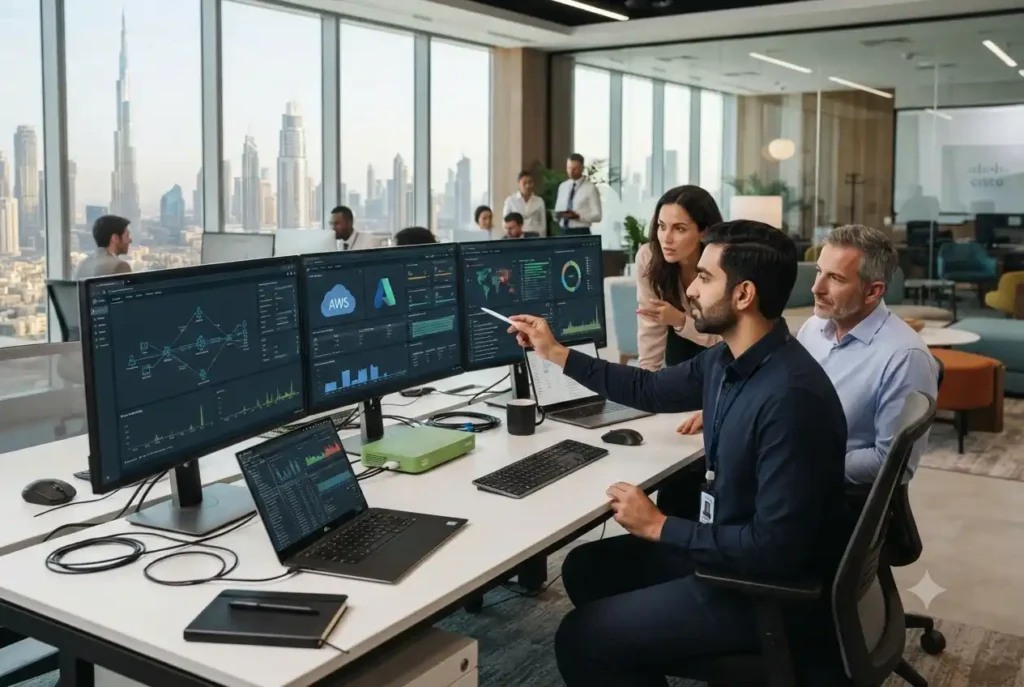
Modern businesses depend on technology for communication, customer service, finance, operations, data management, security, and everyday productivity. When a computer fails, a network becomes unstable, an application stops working, or an employee cannot access an important system, even a small technical issue can interrupt business activity. This is where a technology support specialist becomes valuable.
A technology support specialist helps organizations maintain, troubleshoot, configure, and improve their technology environments. The role can cover everyday technical assistance as well as more advanced responsibilities involving networks, cloud applications, cybersecurity, hardware, software, user accounts, and system performance.
For businesses in the UAE, technology support is particularly relevant as organizations continue adopting cloud services, digital platforms, smart systems, remote collaboration tools, and increasingly connected infrastructure. The UAE government identifies digital transformation, data, cybersecurity, and information technology as important parts of the country’s digital development.
What Is a Technology Support Specialist?
A technology support specialist is an IT professional who helps users and organizations resolve technical problems and maintain reliable technology systems. Depending on the organization, the role may also involve system administration, device management, software deployment, network troubleshooting, security support, documentation, and technology planning.
The specialist may work directly with employees, business owners, IT departments, software vendors, or external service providers. Their responsibilities depend on the size and complexity of the technology environment.
In a small business, one specialist may support computers, printers, email, Wi-Fi, cloud applications, backups, and user accounts. In a larger organization, technology support may be divided among specialized teams responsible for networking, applications, cybersecurity, infrastructure, and end-user support.
Why Technology Support Matters for Businesses
Technology problems can affect more than individual devices. A network outage can prevent employees from accessing cloud applications. A compromised account can create a security incident. A software configuration problem can interrupt an important business process.
Effective support helps organizations identify and resolve these issues before they become larger operational problems. It also gives employees a clear point of contact when they encounter technical difficulties.
Good support is therefore not only about fixing computers. It is about keeping the technology environment reliable enough for employees to perform their jobs and for the business to serve its customers.
Common Responsibilities of a Technology Support Specialist
Hardware Support
Hardware remains an important part of business technology. Specialists may help with computers, laptops, monitors, printers, scanners, networking equipment, and other devices.
Responsibilities can include installation, configuration, troubleshooting, replacement, maintenance, and inventory management. Proper documentation can also help organizations understand which devices are being used and when they may need replacement.
Software Support
Businesses often depend on many software applications, including productivity suites, accounting platforms, customer relationship systems, communication tools, project management applications, and industry-specific software.
A technology support specialist can help employees install applications, resolve errors, configure settings, manage updates, and troubleshoot compatibility issues.
Network Troubleshooting
Reliable network connectivity is essential for modern businesses. Specialists may investigate slow connections, Wi-Fi problems, device connectivity issues, configuration errors, and other network-related incidents.
Network support can also involve coordinating with internet service providers or network administrators when problems extend beyond the user’s device.
User Account Support
Employees need access to the systems required for their roles. Technology support teams may help create accounts, reset credentials, configure permissions, onboard employees, and remove access when employees leave the organization.
Access should always follow appropriate security policies. Giving users unnecessary permissions can increase risk, while insufficient access can prevent employees from completing their work.
Technical Troubleshooting
Troubleshooting is one of the most visible parts of technology support. A specialist needs to identify symptoms, isolate the underlying cause, test possible solutions, and verify that the problem has been resolved.
Good troubleshooting is systematic rather than based entirely on guesswork. Documentation of recurring problems can also help support teams identify patterns and prevent similar incidents in the future.
Technology Support for Cloud-Based Businesses
Cloud computing has changed the responsibilities of technology support teams. Businesses may now depend on cloud-based email, file storage, collaboration platforms, accounting systems, customer databases, and other applications.
Although cloud providers manage parts of the infrastructure, businesses still need to manage user accounts, permissions, configurations, integrations, security settings, and employee access.
A technology support specialist can help users understand how these services work and can troubleshoot problems involving authentication, application settings, connectivity, synchronization, and access.
Technology Support and Cybersecurity
Technology support and cybersecurity are closely connected. Everyday support activities can influence an organization’s security posture.
For example, installing software, creating user accounts, configuring devices, managing passwords, and connecting new hardware can all introduce security considerations. Support teams should therefore follow established security policies when performing technical work.
The UAE’s National Data Exchange Security Policy includes requirements around governance, risk management, access control, cryptography, network security, system hardening, logging, and performance monitoring. These areas illustrate why technology support should be considered part of a broader security and governance framework.
Businesses can also benefit from reviewing advanced security technologies when developing a broader approach to protecting digital and physical technology environments.
Remote Technology Support
Remote support has become increasingly practical as businesses use cloud applications and distributed work environments. Support specialists can often diagnose software problems, configure applications, assist users, and manage certain systems without being physically present.
Remote support can reduce response times and make technical assistance available across multiple locations. It is particularly useful for organizations with employees working from home, across different offices, or from multiple cities.
However, remote access must be protected appropriately. Support personnel should use secure authentication, controlled permissions, approved remote-access tools, and appropriate logging.
Technology Support in Dubai
Businesses looking for site technology Dubai support may have requirements that go beyond ordinary desktop assistance. Companies operating from offices, retail locations, warehouses, hospitality properties, and other commercial environments may need support for networks, access systems, connected devices, servers, cloud platforms, and business applications.
Dubai’s technology environment includes a wide range of digitally enabled businesses, making reliable IT support increasingly important. The Dubai Digital Authority is responsible for information technology, data, smart and digital transformation, and information security within Dubai’s government ecosystem.
For businesses operating in the emirate, a support partner should understand the organization’s specific infrastructure rather than relying on a generic checklist of services.
Technology Support in Abu Dhabi
Organizations searching for site technology Abu Dhabi support may similarly require a combination of onsite and remote services. Commercial offices, industrial operations, property environments, professional services firms, and technology-driven organizations can all have different support requirements.
Abu Dhabi has an active digital transformation agenda, with the Department of Government Enablement responsible for leading the digital future of the emirate.
This broader digital environment makes reliable technology operations important for organizations that depend on connected systems and digital services.
Onsite vs Remote Technology Support
Both onsite and remote support have practical advantages. Remote support is often suitable for software problems, account issues, configuration tasks, and many application-related incidents.
Onsite support becomes more valuable when a problem involves physical equipment, network infrastructure, cabling, printers, servers, access systems, or other hardware that cannot be examined remotely.
Many businesses benefit from a hybrid model. Routine problems can be handled remotely, while issues requiring physical intervention can be assigned to an onsite specialist.
Technology Support and Business Continuity
Technology support can also contribute to business continuity. Organizations should understand which systems are critical and what would happen if those systems became unavailable.
Support teams can assist with backup monitoring, device replacement procedures, software recovery, documentation, and escalation processes. The exact approach depends on the organization’s infrastructure and continuity requirements.
The goal is not to eliminate every possible technology failure. Instead, businesses should prepare for realistic incidents and establish clear processes for restoring important services.
Technology Support and Automation
Modern support teams can automate some repetitive activities. Automated alerts can notify technicians when systems experience problems, while software can help manage tickets, device inventories, updates, and routine maintenance.
This creates a useful connection between support operations and automation technology. Automation can reduce repetitive administrative work, allowing specialists to focus on complex problems that require technical judgment.
Automation should still be monitored carefully. An automated process that is incorrectly configured can create repeated problems or make troubleshooting more difficult.
How to Choose a Technology Support Specialist
Businesses should begin by defining what they actually need from technical support. Some organizations may only need helpdesk assistance, while others require comprehensive infrastructure support.
Important considerations can include response times, availability, onsite coverage, technical expertise, security practices, documentation, escalation procedures, monitoring capabilities, and experience with the organization’s software environment.
Businesses should also ask how support requests are tracked. A structured ticketing system can make it easier to prioritize incidents, monitor response times, identify recurring problems, and maintain a history of technical work.
Check Technical Coverage
The support provider should have appropriate expertise for the organization’s technology environment. If a business relies heavily on cloud applications, networking, cybersecurity, or specialized software, the provider should be capable of supporting those areas.
Review Security Practices
Support personnel may receive privileged access to systems. Businesses should therefore understand how provider access is controlled, authenticated, monitored, and removed when no longer required.
The UAE has also introduced a National Third Party Security Policy addressing governance, supplier assessment, supply-chain security, contracts, monitoring, and resilience. This makes third-party technology support an area that organizations should evaluate carefully.
Consider Scalability
A support arrangement should be capable of adapting as the organization grows. Adding employees, locations, applications, devices, and cloud services can change support requirements considerably.
Common Technology Support Problems
Slow Devices
Slow computers can result from insufficient resources, software problems, storage limitations, background processes, or aging hardware. A support specialist can investigate the cause rather than simply replacing the device immediately.
Connectivity Issues
Internet and network problems can originate from individual devices, local network equipment, wireless coverage, configuration, or external service providers. Systematic troubleshooting helps identify where the failure is occurring.
Application Errors
Business applications can experience compatibility problems, configuration errors, authentication issues, or service interruptions. Support teams can help determine whether the problem is local or related to the application provider.
Access Problems
Employees may lose access because of password issues, account configuration, permissions, expired credentials, or identity-management problems. Support teams can restore appropriate access while maintaining security controls.
Technology Support as a Long-Term Strategy
Technology support should not be viewed only as a service that responds after something breaks. A mature support function can help organizations identify recurring problems and improve the underlying technology environment.
If the same issue appears repeatedly, the organization should investigate its root cause. A recurring network problem may indicate infrastructure limitations. Repeated software errors may indicate configuration or compatibility problems. Frequent account issues may suggest that onboarding or identity processes need improvement.
This proactive approach can reduce interruptions and make technology more predictable over time.
The Future of Technology Support
Technology support is becoming increasingly data-driven and automated. Monitoring platforms can identify certain problems before users report them, while AI-assisted tools can help technicians analyze incidents and search technical documentation more efficiently.
At the same time, human expertise remains important. Complex infrastructure problems, business-critical incidents, security events, and unusual technical failures often require experienced professionals who can evaluate the wider context.
The future of support is therefore likely to combine automation and intelligent tools with skilled specialists rather than relying entirely on either approach.
Last Thoughts
A technology support specialist plays an important role in keeping modern businesses productive, connected, and secure. From hardware and software troubleshooting to cloud applications, networking, user access, cybersecurity, and business continuity, technology support can cover a wide range of operational needs.
For businesses in Dubai, Abu Dhabi, and other UAE locations, the right support model should reflect the organization’s actual infrastructure, workforce, security requirements, and growth plans. Choosing a capable specialist or support partner can help reduce technology disruptions while creating a more reliable foundation for digital operations.
The most effective support strategy is ultimately proactive. By combining responsive troubleshooting with monitoring, documentation, security, automation, and continuous improvement, businesses can turn technology support from a reactive service into an important part of long-term technology management.